Managing your sync settings
Your Sync Settings can be found in each one of your connected stores. We do this to allow you to configure which fields you want synced to the individual store whether it is eBay or Shopify, rather than applying it to all the stores in your account through one configuration.
There are currently four fields that you can configure sync to:
- Title
- Description
- Price
- Quantity
Please be aware that enabling a field only affects that store. If you would like it to apply to two or more stores, the field will have to be enabled in each store.
Syncing Title, Price & Quantity
Section titled “Syncing Title, Price & Quantity”In this example you have two stores, one called ebay_store and shopify_store and we want to enable title, price & quantity sync between them, these are the steps you will have to follow:
1. Select the ebay_store on the dashboard
Section titled “1. Select the ebay_store on the dashboard”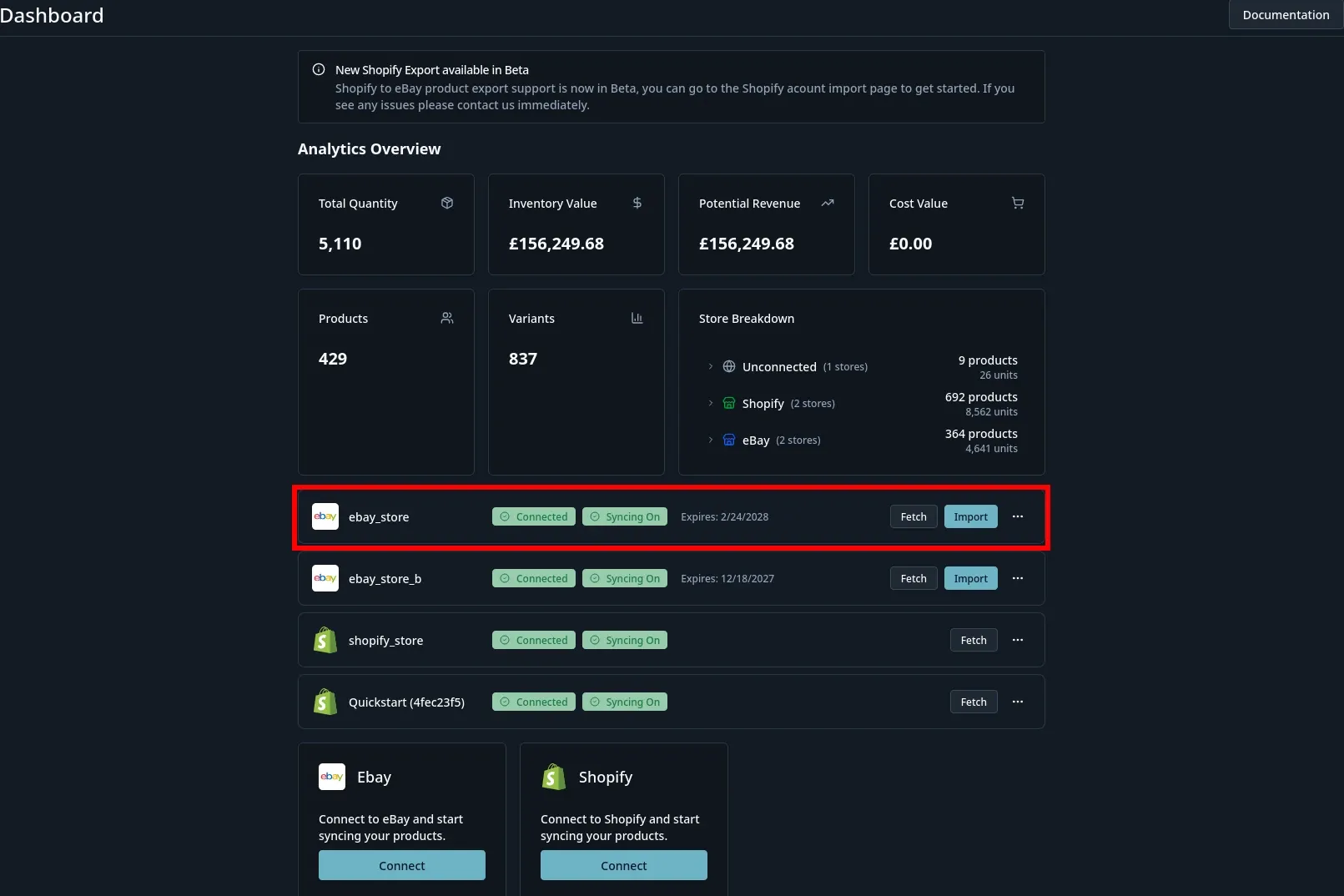
2. Scroll down to the sync settings card and enable title, price & quantity.
Section titled “2. Scroll down to the sync settings card and enable title, price & quantity.”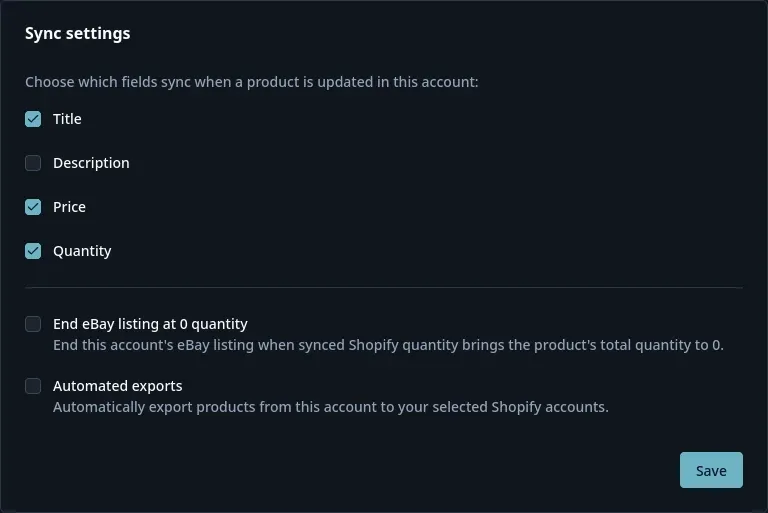
3. Now repeat for the shopify store
Section titled “3. Now repeat for the shopify store”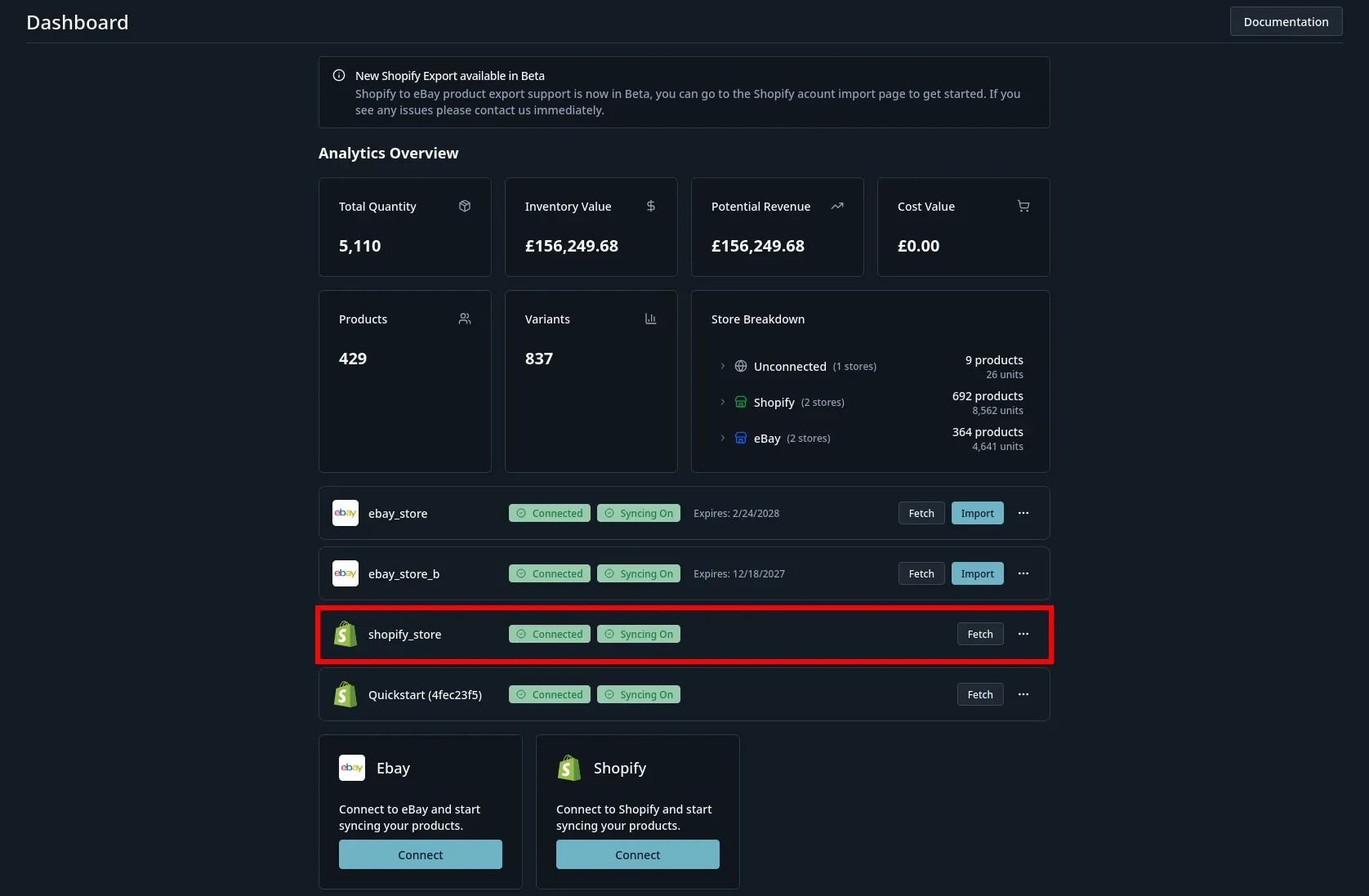
4. Scroll down to the sync settings card and enable title, price & quantity.
Section titled “4. Scroll down to the sync settings card and enable title, price & quantity.”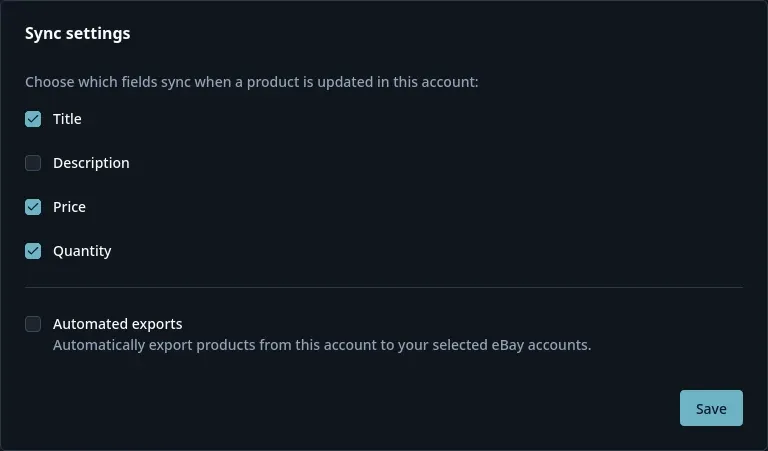
Now any changes that are made to a product in the Shopify store or eBay store will update the linked product in the linked store.